
Install CalmSEO in ChatGPT developer mode
Use ChatGPT developer mode to add CalmSEO as a remote MCP app. This is not a Custom GPT setup.
MCP endpoint
Use this URL when the client asks for the remote MCP server:
https://mcp.calmseo.com/mcpSetup
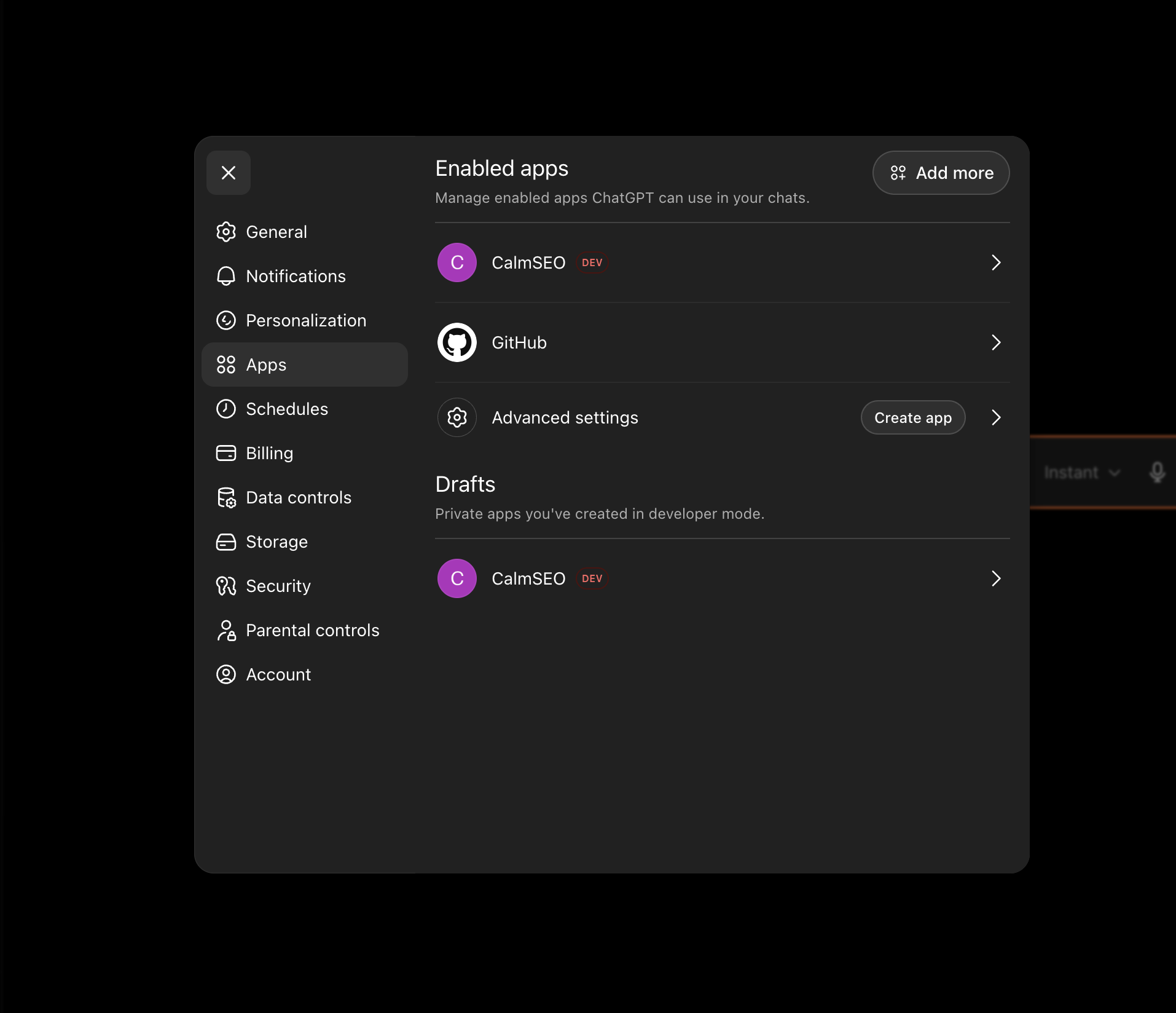
- Open ChatGPT settings and go to Connectors.
- In Advanced settings, enable Developer mode. If the toggle is missing, your plan or workspace may not have access yet.
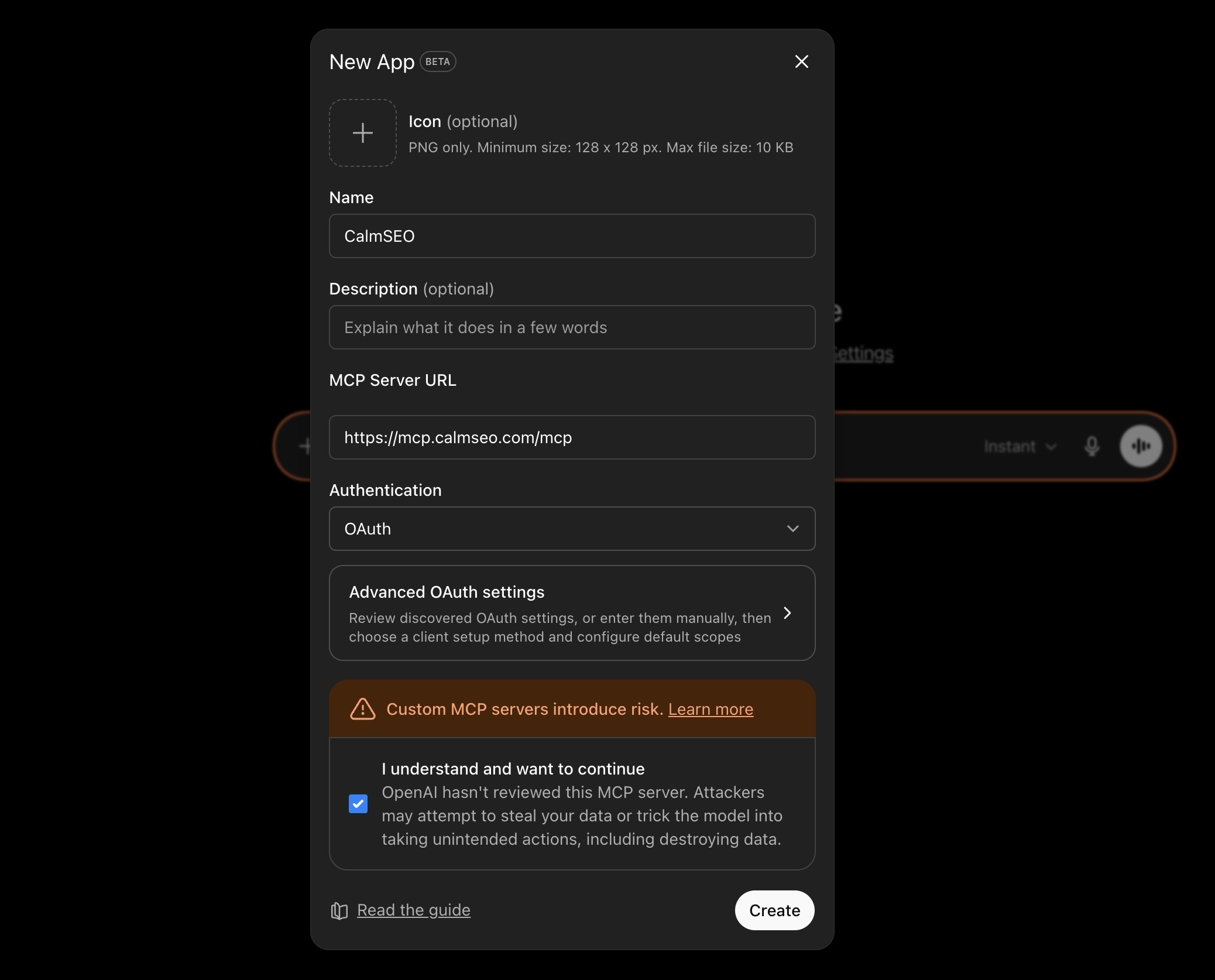
- Click Create app next to Advanced settings.
- Create a remote MCP app named CalmSEO and use https://mcp.calmseo.com/mcp as the server URL.
- Choose OAuth when ChatGPT asks for authentication and complete the CalmSEO sign-in flow.
- Start a new chat, choose Developer mode from the + menu, and select CalmSEO for the conversation.
Screenshots
Notes
- Do not create a Custom GPT for this. CalmSEO should be added through developer mode so ChatGPT can use the MCP tools directly.
- If ChatGPT also has built-in browsing or connectors enabled, ask it explicitly to use the CalmSEO app for SEO data.
Try it
First prompts to run in the client:
Use CalmSEO to get keyword ideas for "emergency plumber".Use CalmSEO to check the SERP for "dentist in Austin".Use CalmSEO Search Console data to find pages losing clicks.